ALL FPSC PAST PAPERS MCQS OF COMPUTER 2020

چار آپشن میں سے کسی ایک پر کلک کرنے سے جواب سرخ ہو جائے گا۔
ایکسل میں موجودہ تاریخ درج کرنے کے لیے کون سی کلید استعمال ہوتی ہے؟
- Ctrl+:
- Ctrl + Shift + ;
- Ctrl+;
- None of these
اس سوال کو وضاحت کے ساتھ پڑھیں
Explanation
- Short key use for Date and Time
- Date: Ctrl+;
- Time: Ctrl+ Shift+ ;
Additional information
shortcut key in MS Excell:
Which key is used to help in MS Excel?
F1
***
Which is the shortcut key to display active cells in Excell?
Shift+Backspace
**
Which key is used to enter the current date in Excel?
Ctrl+;
Which key is used for the GO TO tab in Ms. Excel?
F5
***
Which key is used for Excel column highlight?
CTRL + space
What is the keyboard shortcut to insert a SUM formula in MS Excel?
ALT + =
***
The delete key of the keyboard is assigned to which command in Excel?
Edit > Clear > Contents
****
The shortcut key to insert a new worksheet in Excel is _____.
Shift + F11
****
In Excel, which key is used to format numbers in a comma format?
shift+1
*****
In Excel, which shortcut key is used to go to the formula tab?
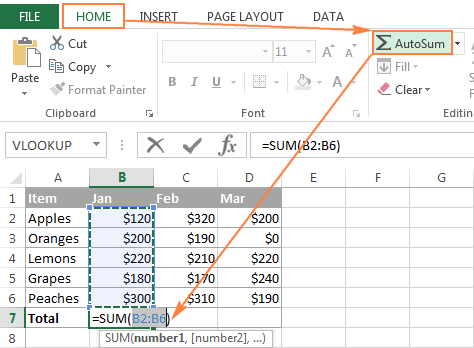
نمبروں کی ایک سیریز کو شامل کرنے کے لیے آپ کس بٹن پر کلک کرتے ہیں؟
- The auto sum button
- The formula button
- The total button
- None of these
اس سوال کو وضاحت کے ساتھ پڑھیں
Explanation
ایکسل ونڈو میں کون سا علاقہ اقدار اور فارمولوں کو داخل کرنے کی اجازت دیتا ہے؟
- Menu Bar
- Title Bar
- Formula Bar
- None of these
اس سوال کو وضاحت کے ساتھ پڑھیں
Explanation
Formula Bar area in an Excel window allows entering values and formulas.
It is labeled with a function symbol (fx).
By clicking the Formula Bar, or when you type an equal (=) symbol in a cell, the Formula Bar will activate.
دستاویزات کو بند کرنے اور محفوظ کرنے کے لیے استعمال کیا جاتا ہے۔
- Crtl + B
- Crtl + W
- Crtl + O
- None
اس سوال کو وضاحت کے ساتھ پڑھیں
Explanation
The Ctrl + W command is used to close a document in MS Word
Ctrl+W is a shortcut key most often used to close a program, window, tab, or document.
آپ _____ کو دبا کر موجودہ ایکسل ڈیٹا میں ترمیم کر سکتے ہیں؟
- F1 Key
- F3 Key
- F2 Key
- None of these
اس سوال کو وضاحت کے ساتھ پڑھیں
Explanation
Click the cell that contains the data that you want to edit, and then press F2.
This starts Edit mode and positions the cursor at the end of the cell contents.
F1 to F12 keys are known as function keys.
****
RY18012023
مندرجہ ذیل میں سے کون سلائیڈ شو کے منظر میں سلائیڈوں کو آگے نہیں بڑھائے گا؟
- tab key
- space bar
- shift key
- mouse button
اس سوال کو وضاحت کے ساتھ پڑھیں
Explanation
The Esc key. By clicking your mouse or pressing the spacebar on your keyboard, you can advance to the next slide.
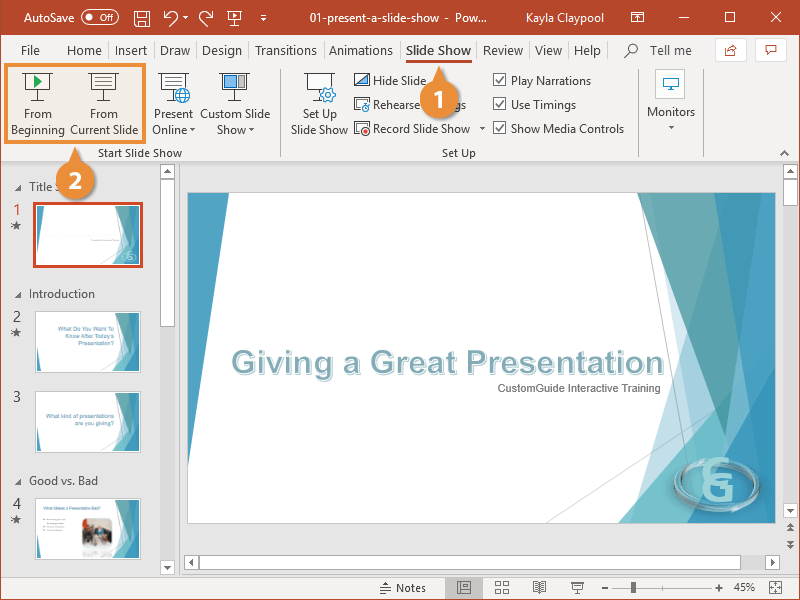
پاور پوائنٹ میں موجود سلائیڈز میں ان میں سے کون سا صفحہ سیٹ اپ اورینٹیشن ہے۔
- Landscape
- Portrait
- Vertical
- None of these
اس سوال کو وضاحت کے ساتھ پڑھیں
Explanation
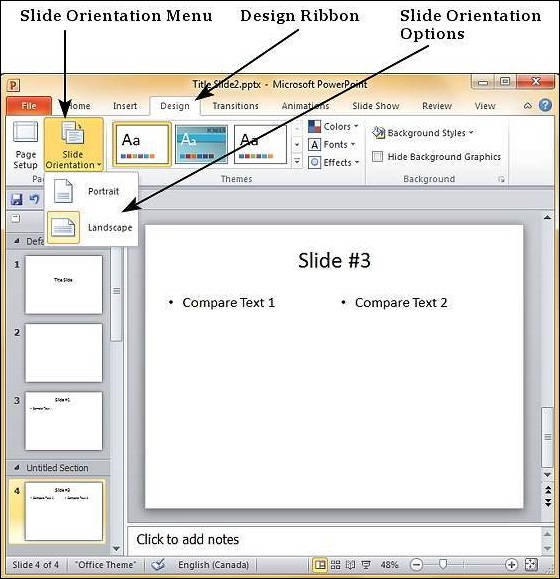
The default for PowerPoint slides is landscape
Landscape orientation generally refers to the camera's orientation in a horizontal display.
_________ منظر آپ کی پیشکش کی تمام سلائیڈوں کو افقی ترتیب، تھمب نیلز میں دکھاتا ہے
- slide show view
- slide sorter view
- outline view
- none
اس سوال کو وضاحت کے ساتھ پڑھیں
Explanation
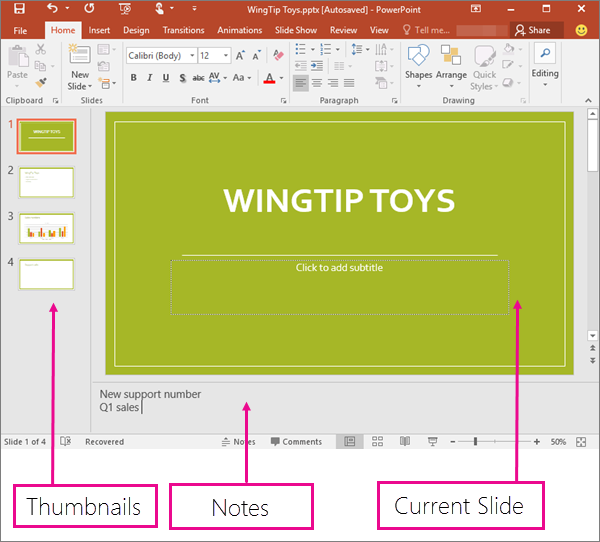
Slide Sorter view (below) displays all the slides in your presentation in horizontally sequenced, thumbnails.
ایک اسٹور ________ گرافکس، ٹیکسٹ، اسٹائلز، میکروز، حسب ضرورت ورڈ کمانڈ سیٹنگ، آٹو ٹیکسٹ اندراجات۔
- template
- guide box
- references
- none
اس سوال کو وضاحت کے ساتھ پڑھیں
Explanation
Templates can store:
graphics
styles
AutoText entries
AutoCorrect entries
macros
toolbars
custom menu settings
and shortcut keys.

مندرجہ ذیل میں سے کون سا فنکشن مائیکروسافٹ ایکسل میں کالموں اور قطاروں کے مواد کو کالموں میں گھماتا ہے؟
- switching
- transpose
- matrix
- none
اس سوال کو وضاحت کے ساتھ پڑھیں
Explanation
The purpose of the TRANSPOSE function in Excel is to convert rows to columns,
i.e. switch the orientation of a given range from horizontal to vertical or vice versa.
The function takes just one argument:
TRANSPOSE(array)
Where array is the range of cells to transpose.